
|
In most cases we require final print-ready PDF files. If you need assistance with design and generating print-ready files, it's helpful to discuss this with your sales rep before we start working on your job. Design is separate from prepress. It's important that you proofread your art before sending it in for production! Your files must adhere to industry-standard specifications for resolution and bleed. Prepress includes all the needed steps to make your final design ready to print. Your documents will have been prepared by your designer in specific computer programs like Adobe Photoshop, InDesign, Illustrator, and Corel Draw. Once we get the files we do the following:
We also have an online design tool that can generate final PDF files. You will see this tool enabled for some items in the online shop, as well as this page. Allow 1 to 3 days for prepress. Your manufacturing turntime starts after final proofs are approved. |
If you want to get your project finished but aren't a trained graphic artist, then send us your photos and credits and we'll put it together quickly and professionally. If you know what you want, just make a sketch and we'll follow your instructions. The cost in this case is usually between $125 and $500, depending on how much work it is. 
|
Do-it-yourself If you want to do the design and layout yourself, or you have a graphic artist, you have to find some way to get us your files. Most jobs are sent to us either on a disposable CD-R or over the internet. We have an upload page. Design Proofs We need some kind of proof copy to verify what we are working on. We are not responsible for errors or ommissions that could have been prevented if you had supplied a hardcopy proof.
|
| Film positive output (onetime fee): Screens (on every order)
|
$14 each color $14 each color
| <||||
|
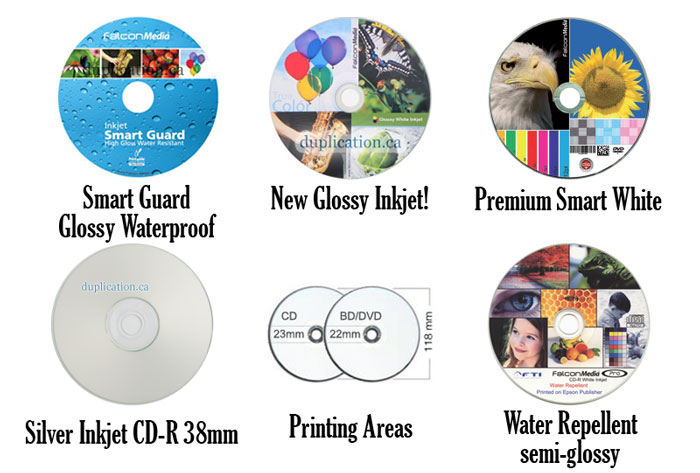
Notes: Consult a new Pantone color-swatch book. Consider the mirror band and the clear plastic areas! (18 to 46 mm). The color will change at the clear area. Do not print knockout text inside 46mm diameter. Avoid small type of less than 6 points and typefaces that have very thin strokes. Sans-serif typefaces (helvetica etc) work better. Especially avoid the combination of small point size, serif typeface, and being knocked-out. Recommended trapping: 1/2 point. Insufficient trapping may allow the silver of the disc to show through between areas of different colors. Minimum screen density before starting to lose dot: approx. 15% dot size. Maximum screen density before plugging: approx. 85% to 90%. Picture discs will have more contrast it does on paper or screen. Silkscreen printing is great for printing large areas of solid color. | |||||
Return to top of page
Our offices
Montreal (administration only)

Nuns' Island
Quebec

514-878-TAPE [8273]
800-777-1927

514-360-2944
Find on map
Ⓒ Analogue Media Technologies Inc. All Rights Reserved.


Ⓒ Analogue Media Technologies Inc.
All Rights Reserved.